Retrieving Marketing Form Values in Power Automate
Why a submitted form value suddenly changed, and how to reliably retrieve the technical or human-readable value from Field Submission records in Power Automate.

Recently, I was asked for help with a Power Automate flow connected to a Customer Insights – Journeys marketing form.
The use case itself was very common: one of the submitted values was used afterwards to decide what should happen next. This could be routing a request to the right business unit, assigning a Lead to a specific team or simply triggering different follow-up logic depending on what someone selected in the form.
The existing flow used msdynmkt_submittedvalues from the Form Submission record to retrieve that information. Then one of the values suddenly looked different. Instead of the technical value the flow had previously processed, the submitted values contained the human-readable label shown in the form.
Nothing had been changed in the flow itself, so the question was: why did this happen?
While looking into it, I came across a change Microsoft documented for unmapped fields. For these fields, the Field localized value previously contained the same technical value as the regular Field value.
That change itself is only a small detail, but it is a good reminder of how form submissions are structured and how I prefer to retrieve individual values when I want to process them afterwards in Power Automate.
Form Submission and Field Submission
Whenever someone submits a marketing form, Customer Insights – Journeys creates a Form Submission record representing the complete submission.
At the same time, individual Field Submission records are created for the submitted fields.
Conceptually, it looks like this:
Form Submission
│
├── Field Submission: First Name
├── Field Submission: Last Name
├── Field Submission: Email
├── Field Submission: Area of Interest
└── Field Submission: Message
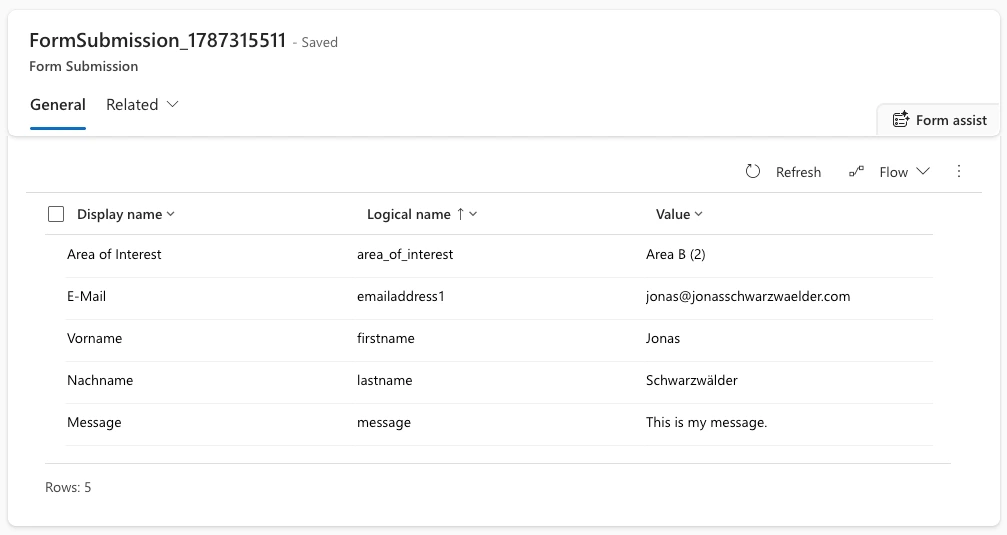
This relationship is the important part.
If my following Power Automate logic only needs the value of Area of Interest, I don’t need to work with the complete submission. I can retrieve exactly the Field Submission belonging to the current Form Submission and the logical field name I am interested in.
This applies to mapped as well as unmapped fields. And the same relationship can be used directly inside Customer Insights – Journeys, without any Power Automate involved. Megan V. Walker has shown how to evaluate a specific form field right in a journey using an attribute branch condition, including the filter that is needed so the branch really evaluates the field you expect.
Advanced Journey Logic: Evaluating Specific Form Fields in Customer Insights
Unmapped fields are a particularly useful example. Sometimes I want to ask for information that is relevant for the following process but does not necessarily need to become another permanent column on Contact or Lead. Microsoft stores those values as part of the form submission as well.
Retrieving one value in Power Automate
Let’s use a simple example.
Assume the form contains a field with the logical name:
area_of_interest
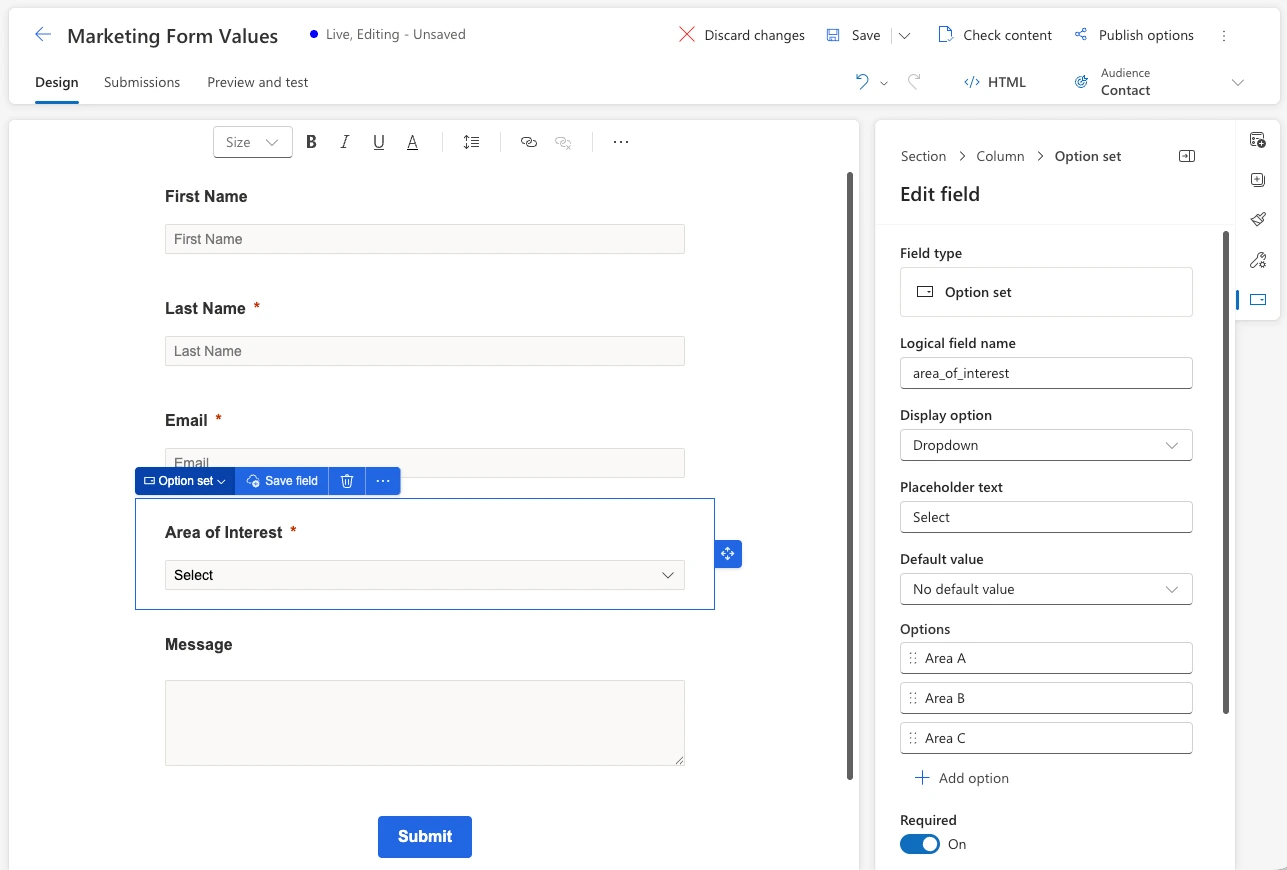
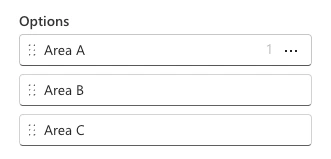
The value should determine what happens next. Depending on the selected option, we might route the request to a different team.
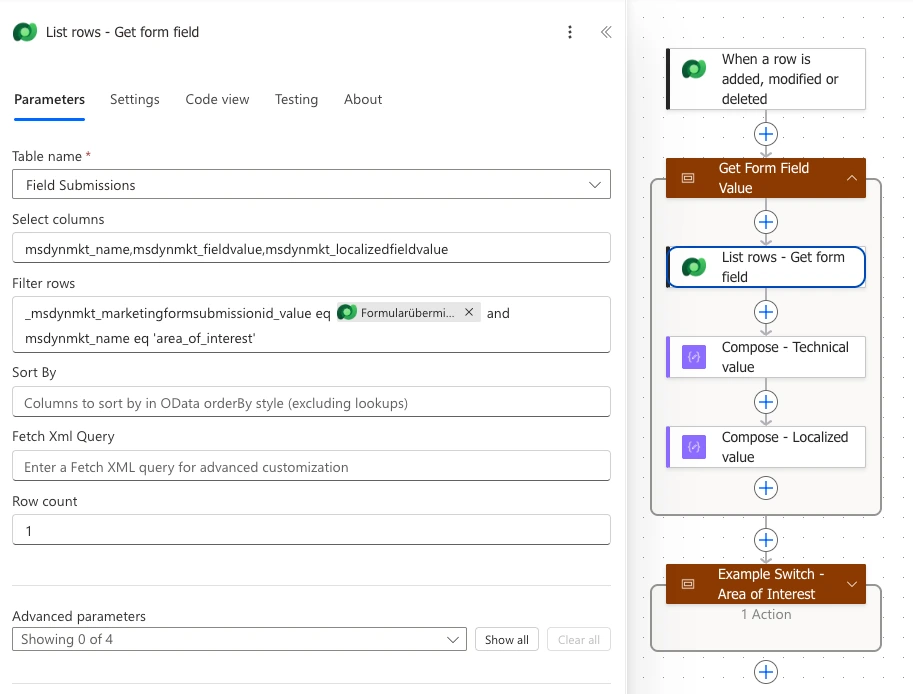
In Power Automate, I can use List rows on the Marketing Field Submission table and filter for two things:
- The current Form Submission
- The logical name of the field
For example:
_msdynmkt_marketingformsubmissionid_value eq @{triggerOutputs()?['body/msdynmkt_marketingformsubmissionid']}
and msdynmkt_name eq 'area_of_interest'
One note on the trigger: filter it down to the one form you actually care about. Filtering on the submission status alone is not enough. Without a condition on the form itself, the flow runs for every form submission in the environment, not just the one you built it for. Adding
_msdynmkt_marketingformid_value eq <form id>to the trigger’s Filter rows keeps it scoped to a single form.
As I only expect one matching field, I can limit the query to one row.
For most scenarios, these are the properties I am interested in:
msdynmkt_name
msdynmkt_fieldvalue
msdynmkt_localizedfieldvalue
The difference between the last two becomes particularly important for Choice fields.
For example:
Field value:            2
Field localized value: Area B
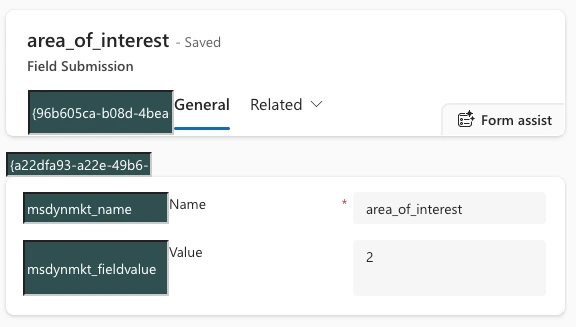
Microsoft defines Field value as the technical value and Field localized value as the human-readable representation for option sets, multiselect fields, two-option fields and lookups.
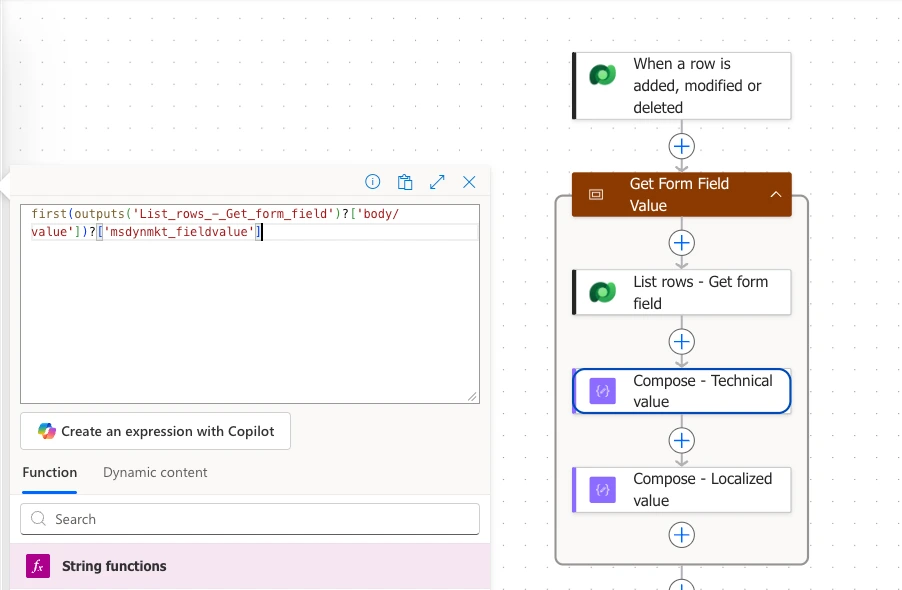
So if my following logic depends on the technical value, I can use:
first(outputs('List_rows_-_Get_form_field')?['body/value'])?['msdynmkt_fieldvalue']
If I need the readable label instead:
first(outputs('List_rows_-_Get_form_field')?['body/value'])?['msdynmkt_localizedfieldvalue']
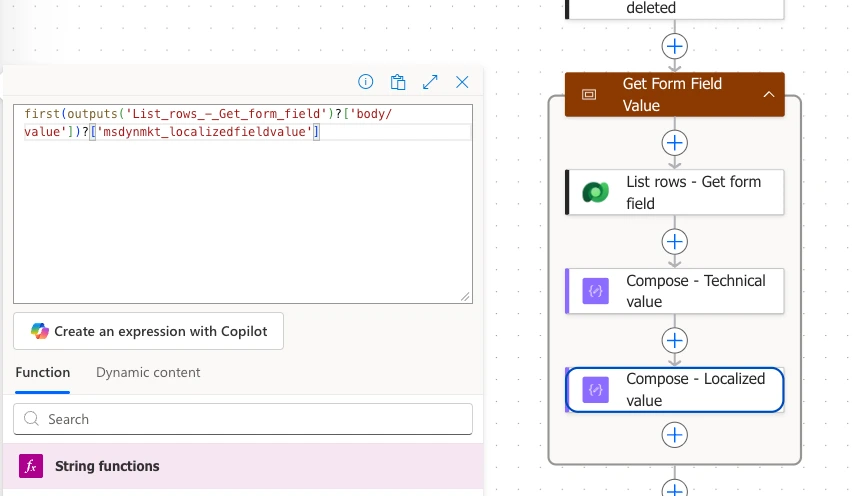
The important part for me is that the flow now explicitly retrieves the representation it needs instead of depending on the summarized value of the complete Form Submission.
From form value to business logic
Once the value is available, everything afterwards is just normal Power Automate logic.
A simple example could be a Switch:
Marketing Form Submission
          ↓
Retrieve "Area of Interest"
          ↓
Get Field Value
          ↓
        Switch
    ↙      ↓      ↘
  Area A Area B Area C
    ↓      ↓      ↓
  Team A Team B Team C
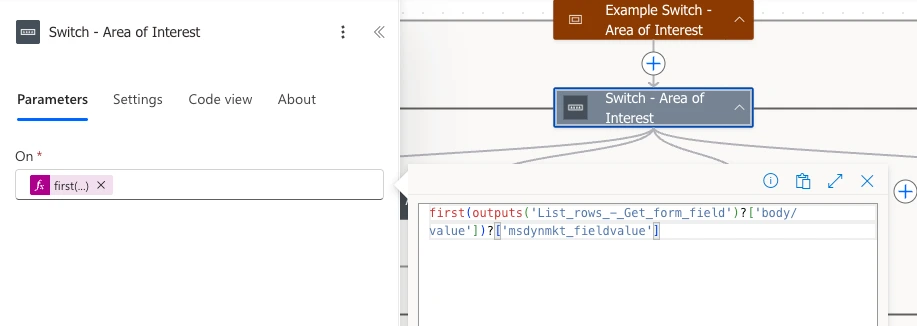
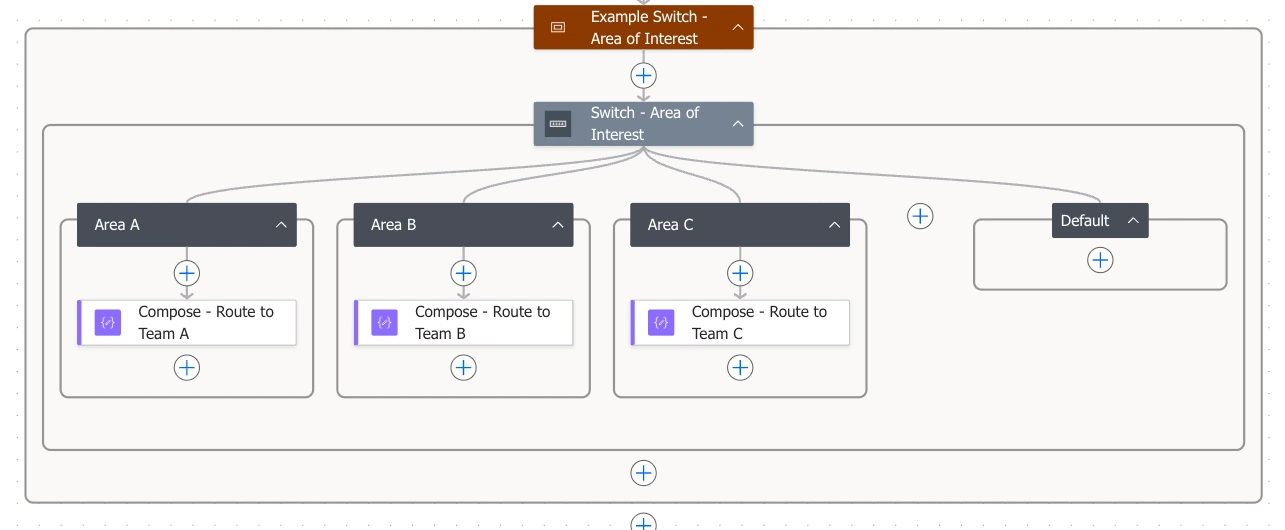
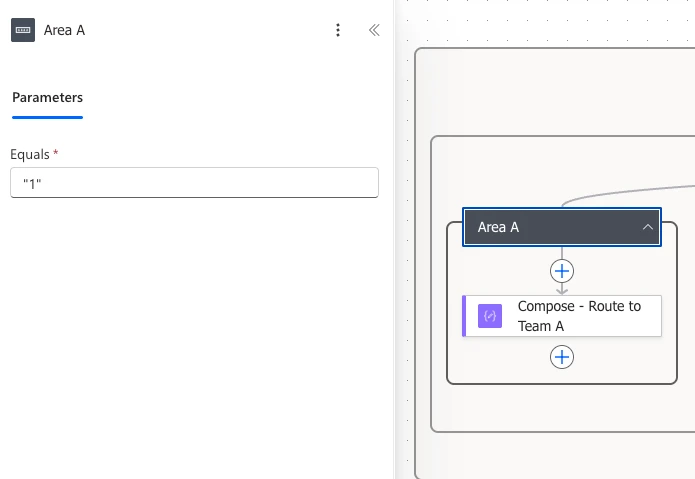
The same approach could of course be used for many other scenarios: assigning a Lead, starting an approval, updating another Dataverse record, creating a task or triggering another automation.
There are also much broader use cases once you start working with Field Submissions.
Amey Holden, for example, has shown how the complete set of Field Submission records can be transformed into readable text and structured JSON. This can then be used for exports, timeline information or other downstream automation. If you need to work with the entire submission rather than one particular field, her approach is definitely worth a look.
Form Submission & Event Registration Summaries in Customer Insights – Journeys
For this post, however, I want to keep the pattern intentionally small:
retrieve one submitted field and continue the process with it.
Making the pattern reusable
Because the retrieval logic is always very similar, I like putting it into its own Scope:
Get Form Field Value

├── List rows – Get Field Submission
├── Compose – Technical value
└── Compose – Localized value
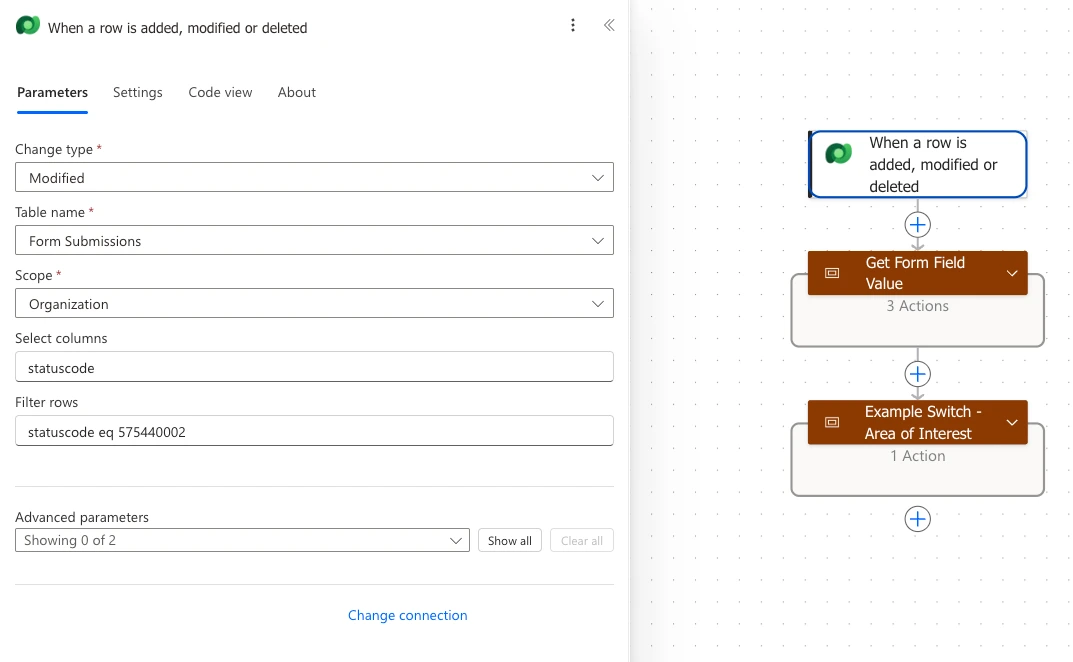
For another field, the main thing I need to change is the logical field name.
I therefore keep the complete Scope JSON in a GitHub repository alongside this post, so that the actions can be copied directly into Power Automate rather than recreated from several screenshots. It ships without any connection reference, and the field logical name is a placeholder you replace with your own.
Customer Insights – Power Automate Scopes
Speaking of copying scopes, my friend Lucas Hahne created the Power Automate Extension – Scopes to Copy, which makes these kinds of reusable Power Automate snippets much easier to work with.
Power Automate Extension – Scopes to Copy
My take
The change around localized values was what brought me back to this topic, but the underlying pattern is much more general.
Whenever one answer from a Customer Insights – Journeys form should influence what happens next, I prefer working with the related Field Submission directly.
The relationship is quite simple:
Form Submission = the complete submission
Field Submission = one individual answer
Retrieve the field you need, choose whether you need its technical or localized value and continue with normal Power Automate logic afterwards.
For many scenarios, that really is all there is to it:
Get the field → get the value → continue the process.